OSA Hub·2026·Operational platform
One system where the spreadsheets used to be.
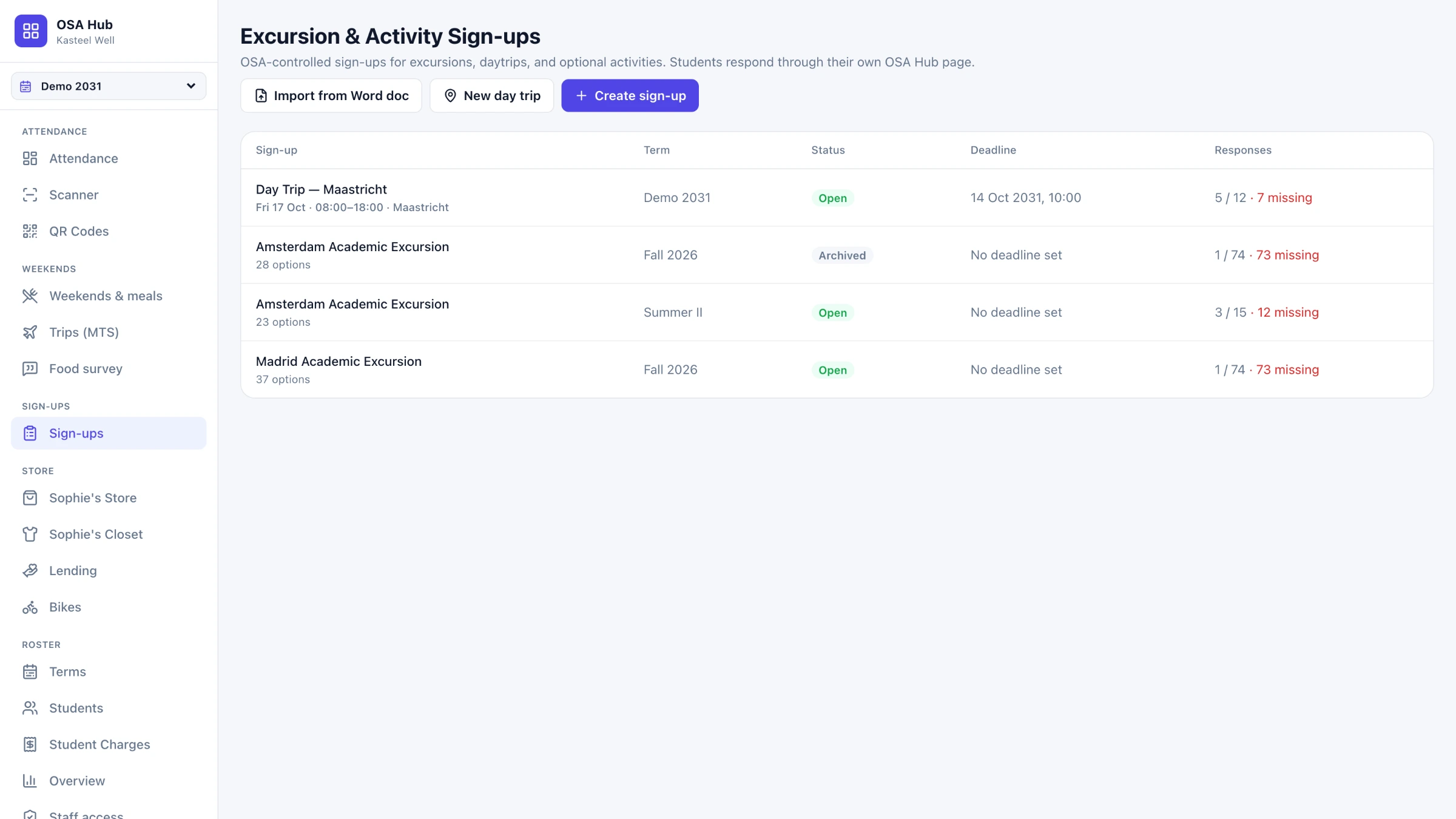
The staff system behind the student operation at Emerson College Kasteel Well — attendance, meals, trips, sign-ups, lending and charges, held together by one roster and the account students already have.
The story
I coordinate the daily student operation at Emerson College Kasteel Well. For years it ran on documents — a Drive folder per term, a form per process, the same student typed into six files. I designed and built the system that holds them together.
- Role
- Product design & development
- Client
- Office of Student Affairs, Emerson College Kasteel Well
- Year
- 2026
- Discipline
- Operational platform
- Scope
My contributions
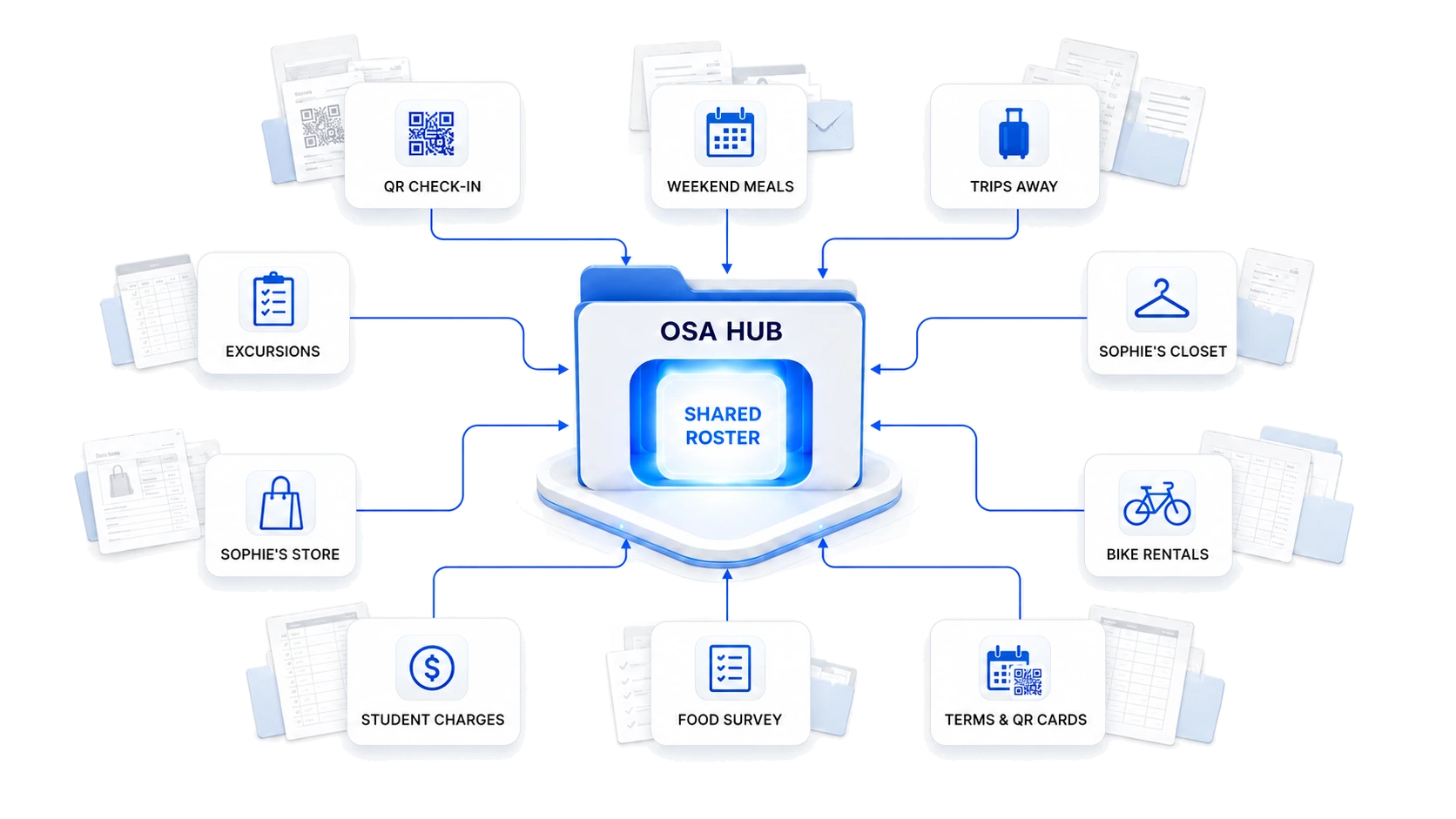
Ten processes
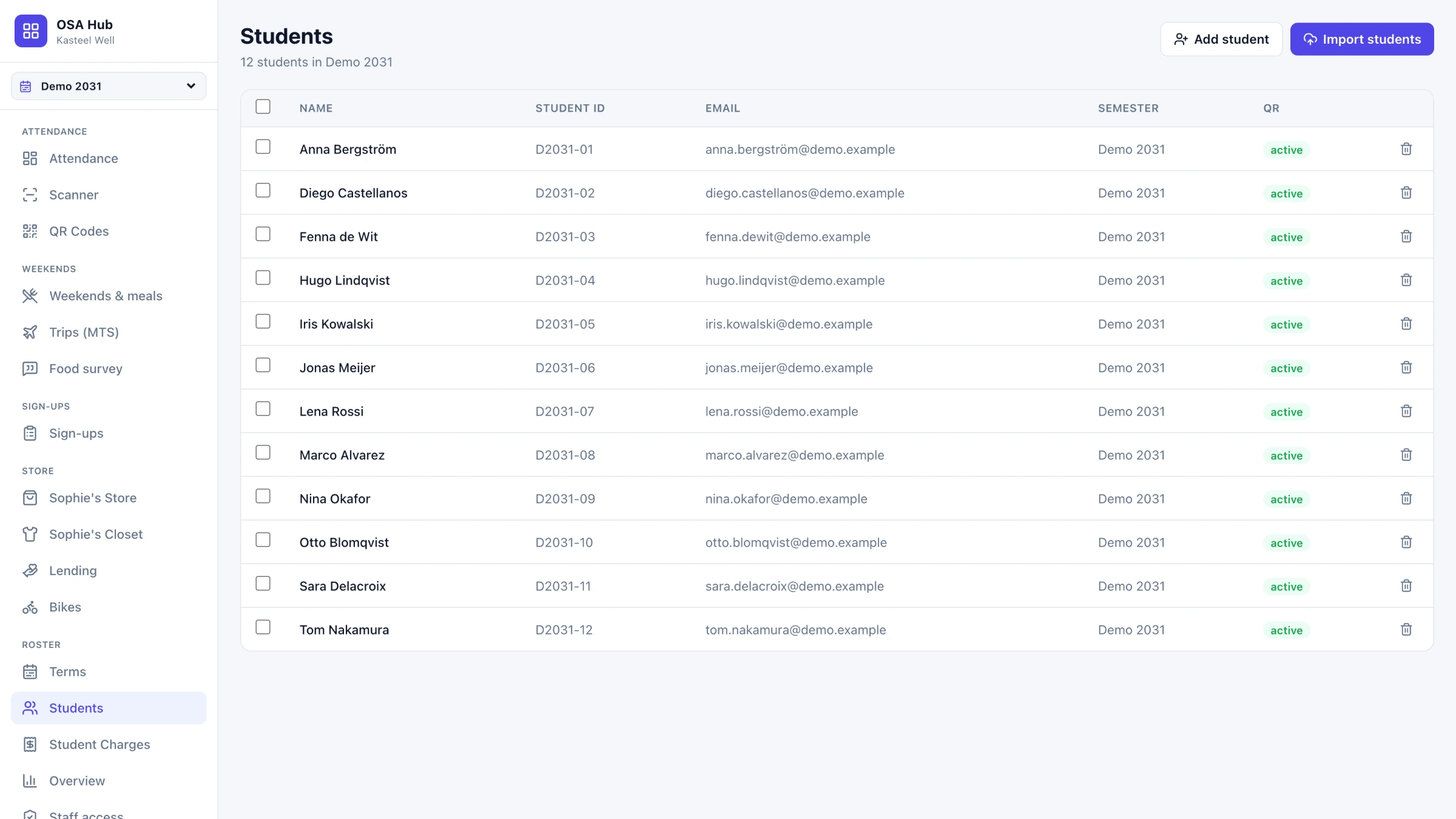
One roster underneath
Emerson SSO
No second password
Word in, Word out
The planning document, round-tripped
Chapter 01
What it holds
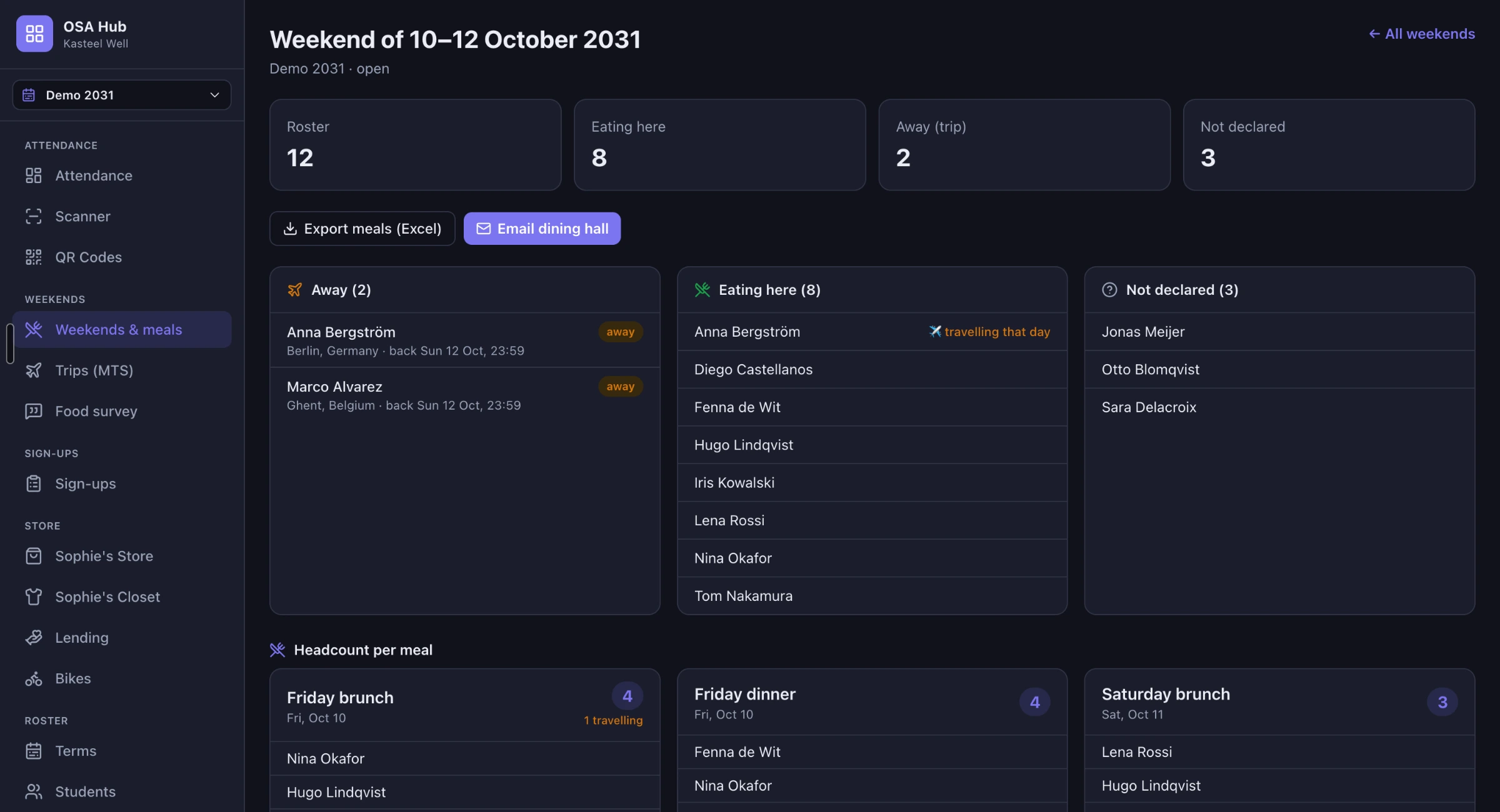
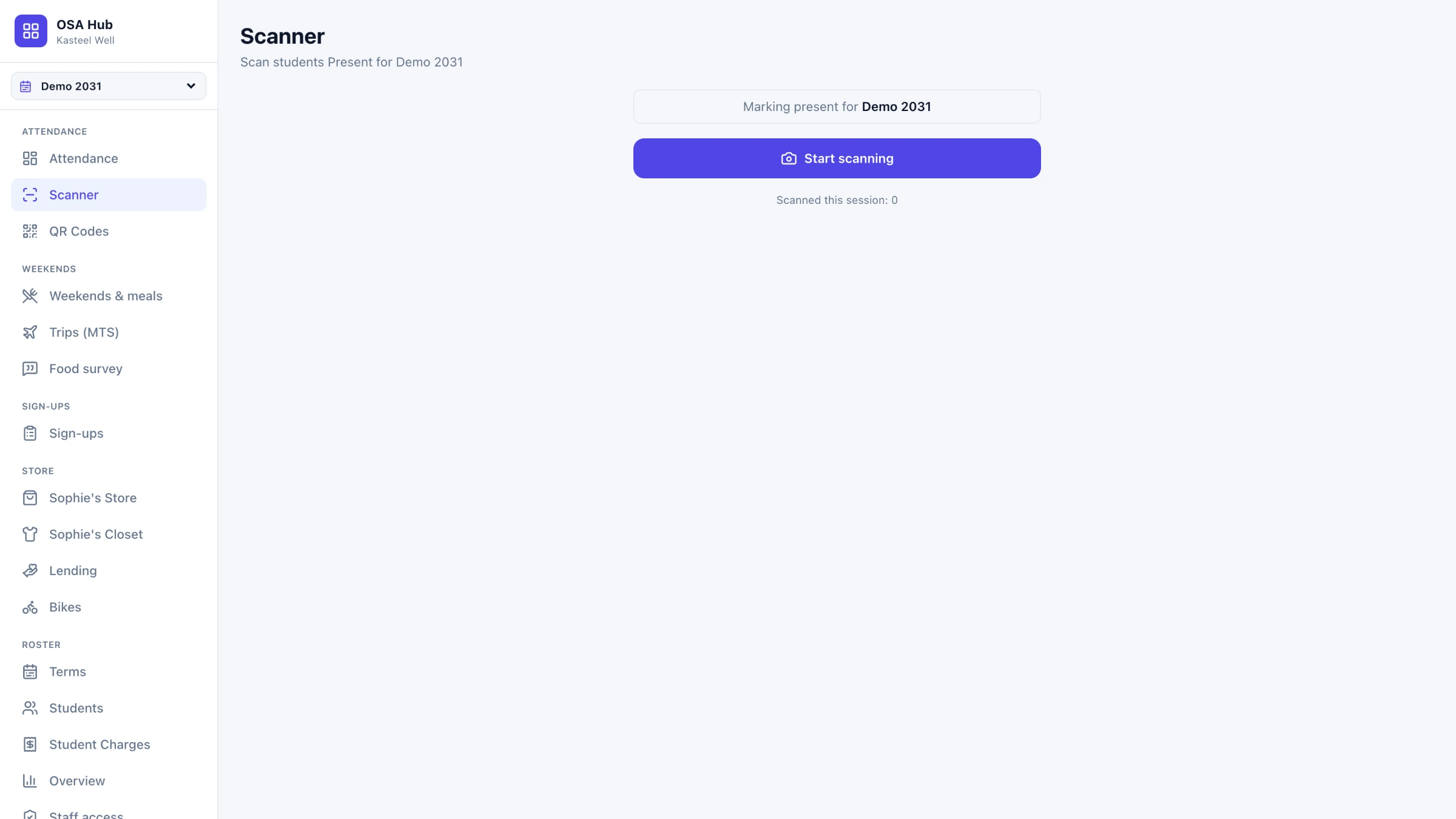
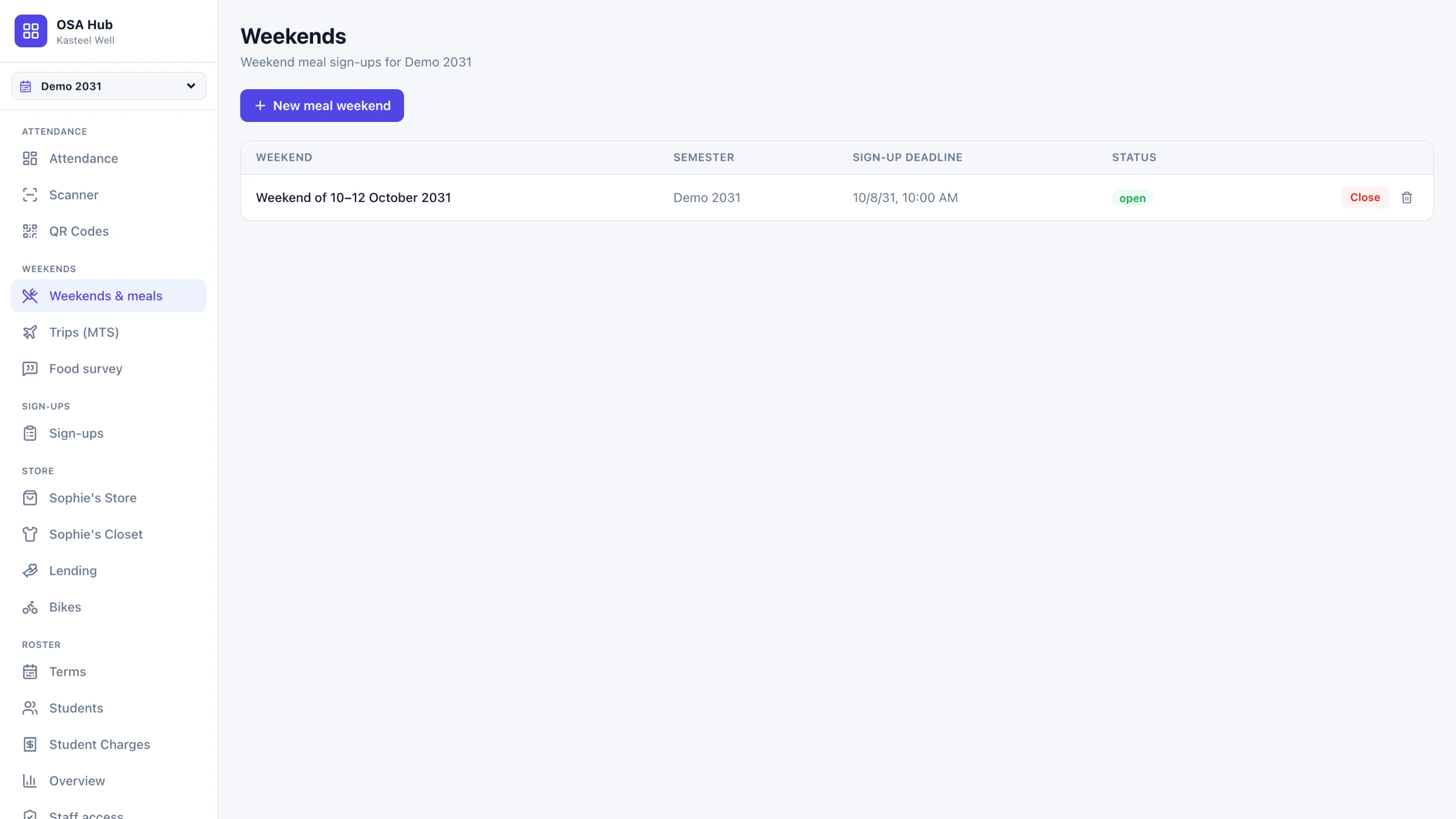
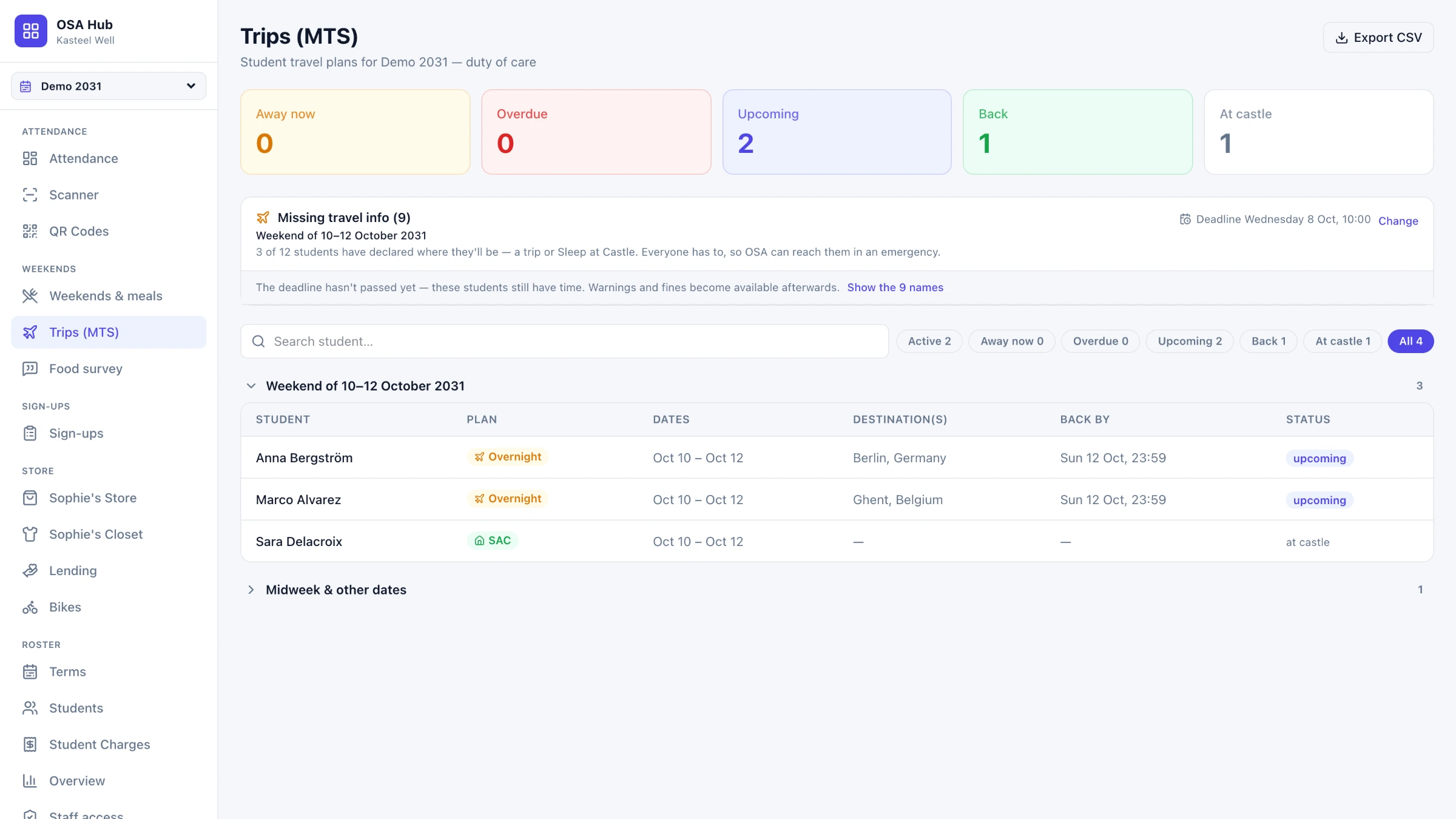
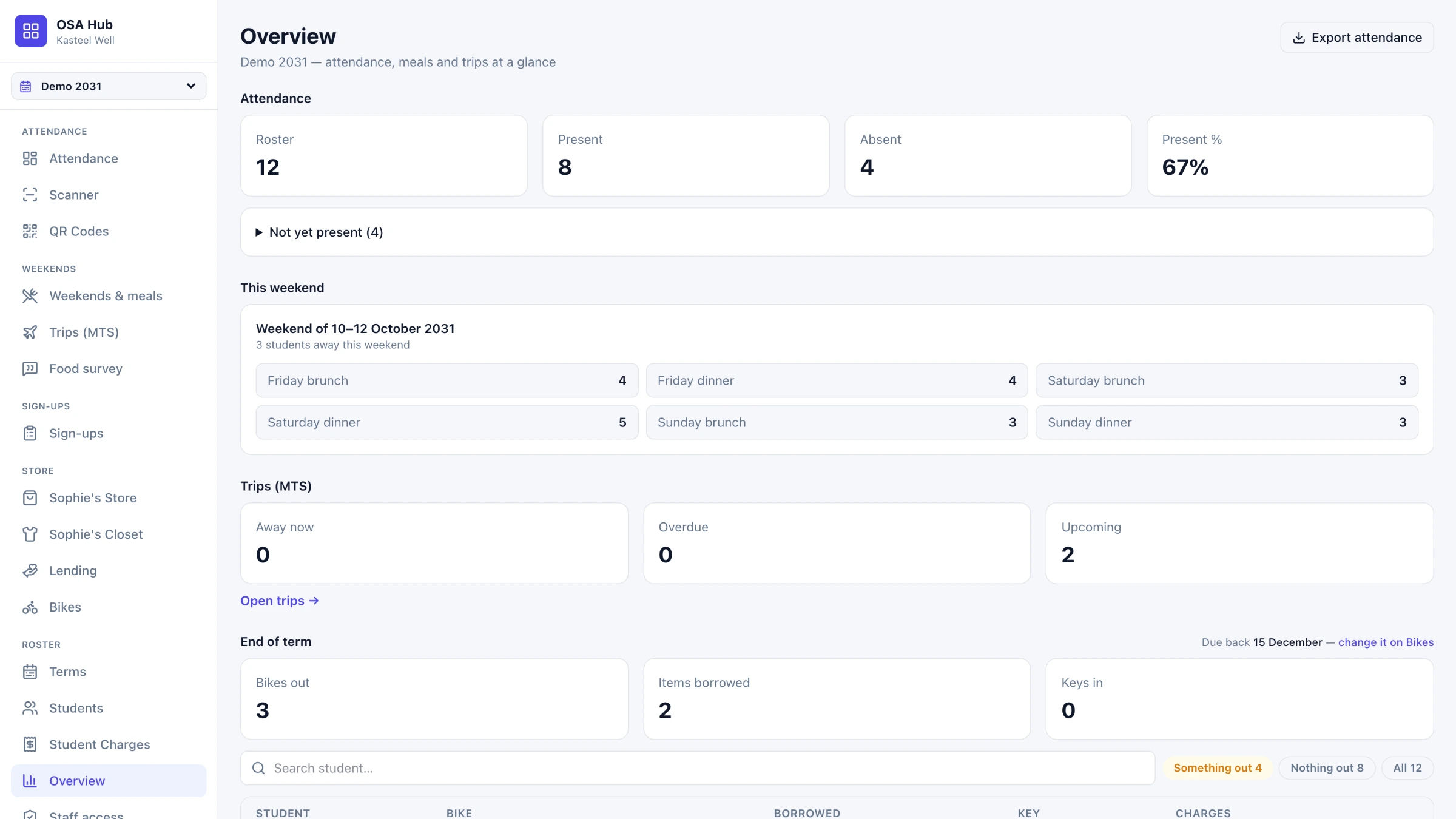
Ten processes that used to live in separate places, now sharing one roster. The point is not that each exists — it is that a change in one is visible to the others.
Chapter 02
A residential campus is a hundred small operations
A student arrives and immediately starts generating small administrative events. Present at a session. Signed up for weekend meals, or not — and the kitchen needs to know by Wednesday. A trip to Berlin, closed by a check-in on Sunday. A borrowed costume, a rented bike, a charge that has to reach finance before the term closes. None of it is hard alone. All of it at once, for a building full of students, is the job.
Chapter 03
It all lived in Drive
Before the Hub, the operation was a folder. Not as a figure of speech — an actual Drive folder per term, and inside it a document for every process. Each one was somebody's to keep current. Each one was the truth about exactly one thing and quietly out of date about everything else.
- Attendance — a printed list, typed up afterwards from memory
- Bikes — a Google Form, counted by hand, rebuilt every term and easily confused with last term's copy
- The food survey — a Form, and thirty answers summarised by hand
- Sophie's Closet — a printed catalogue and a paper loan form
- Charges — a spreadsheet, reconciled by hand before the term closed
- Excursions — a planning document with blank numbered slots, and SignUpGenius for the activity sign-ups
- Weekend meals — a headcount emailed to the dining hall
- The roster — retyped into every one of them
Chapter 04
What the scattering actually cost
Every one of those documents worked on the day it was written. The cost was never inside a single file — it was in everything that had to happen between them, all of it by hand, all of it dependent on someone remembering.
- The same student entered six times, and spelled six ways
- A trip registered on Thursday never reached Saturday's headcount
- Two people, two files, two entirely defensible answers
- Every deadline was somebody's memory, every reminder somebody's evening
- And none of it was visible to the student it was about
Chapter 05
Who actually opens it
Four groups touch this system and only one of them is technical. Every interface decision had to hold for all four.
Staff on shift
Scanning at the door
One hand on a phone, students walking past. THE PAIN — a paper list that someone has to type up afterwards, eventually, from memory.
Coordinators
Planning the term
Rosters, deadlines, sign-ups, charges, exports. THE PAIN — the same student typed into a different sheet for every process.
Students
The account they already have
No new password, no app, nothing to install. THE PAIN — being asked to register somewhere new for every single thing.
Whoever comes next
Taking it over
Someone who did not build it and may not be a developer. THE PAIN — inheriting a system nobody can explain.
Chapter 06
One account, the one they already have
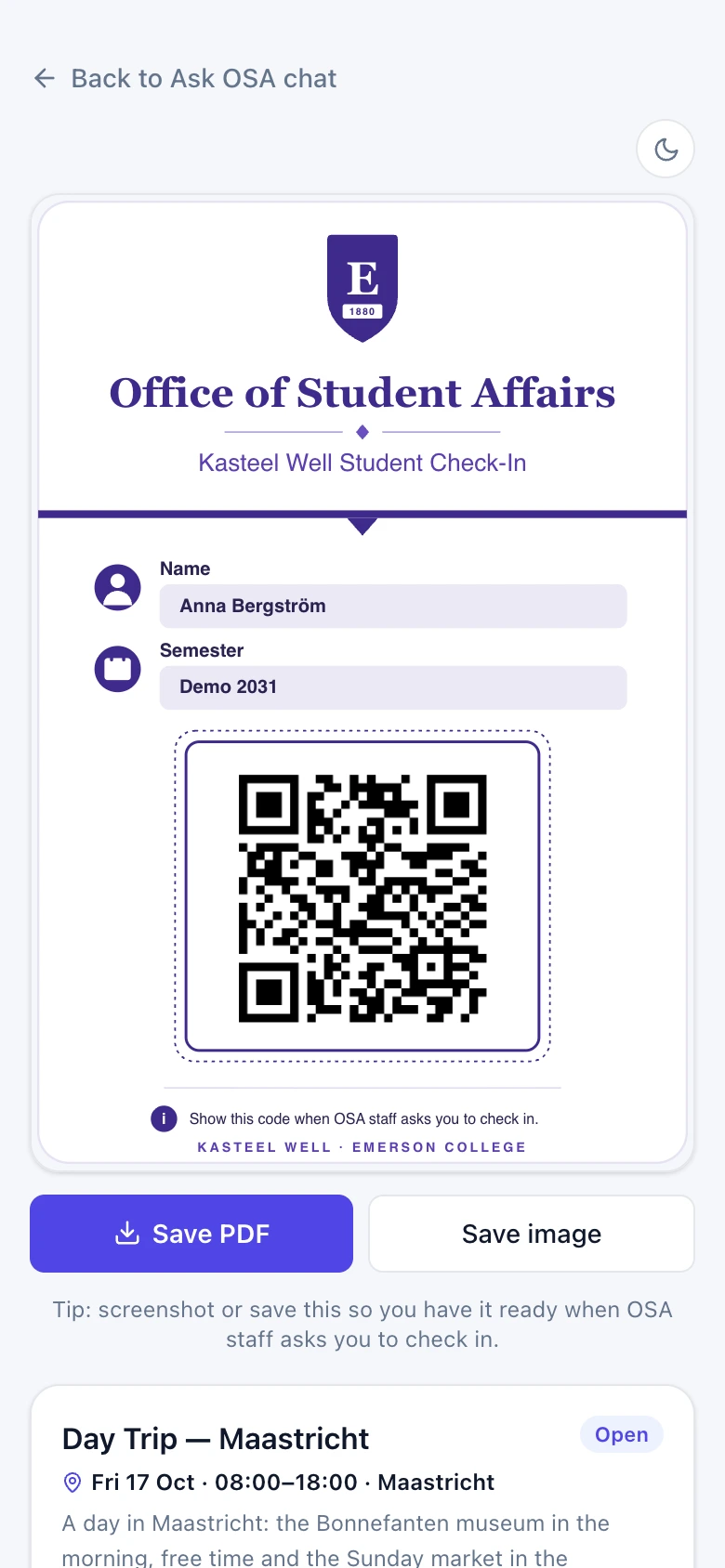
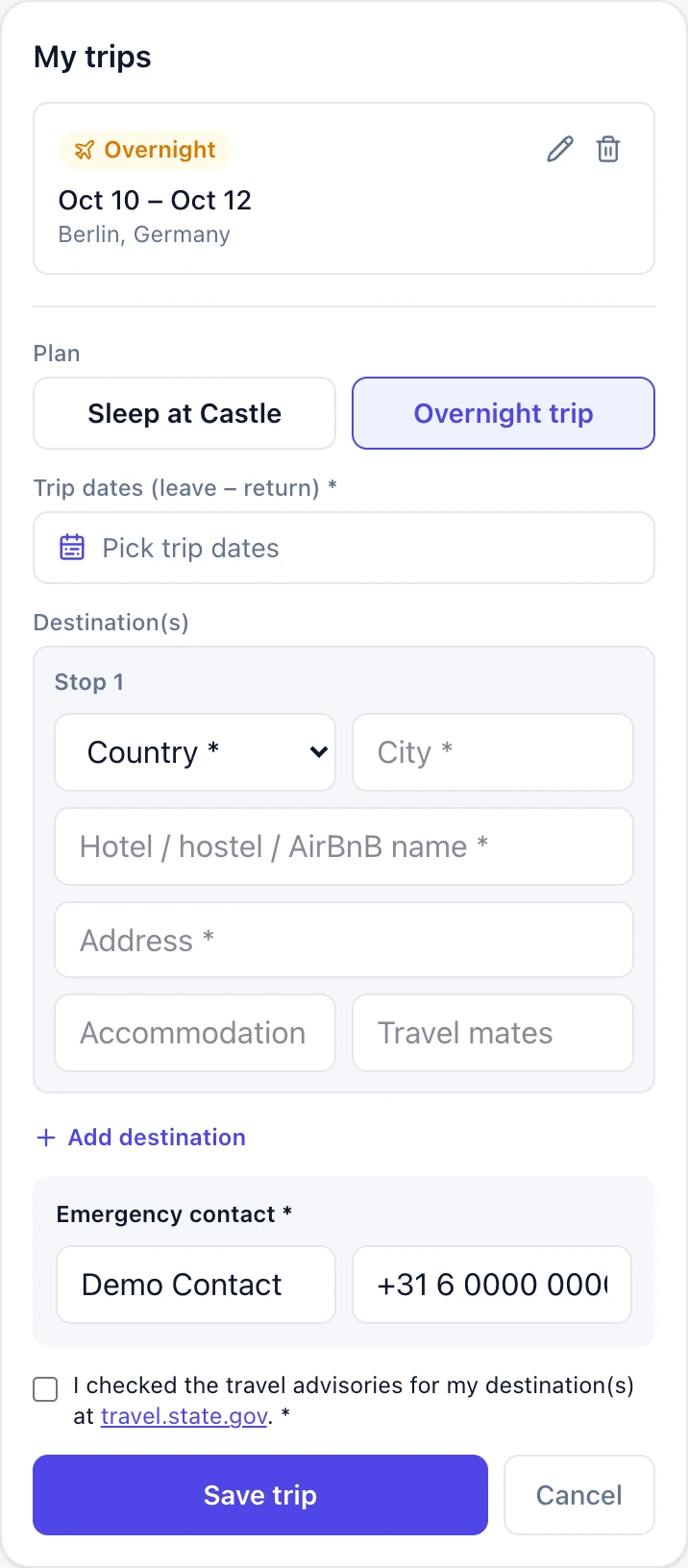
Students sign in with their Emerson account — the one they already use for everything else. No new password, nothing to install. What they land on is not a read-only summary; it is where the work happens. Register a trip. Pick the weekend's meals. See the sign-ups, the loans, the bike and what is owed, in one place.
- On a home screen it reads "My OSA" — never the staff tool's name
- Excluded from search engines
- Dates read "Wed 23 Sep, 12:00" — never "9/23/26"
- It links to the assistant, and the assistant links back
Chapter 07
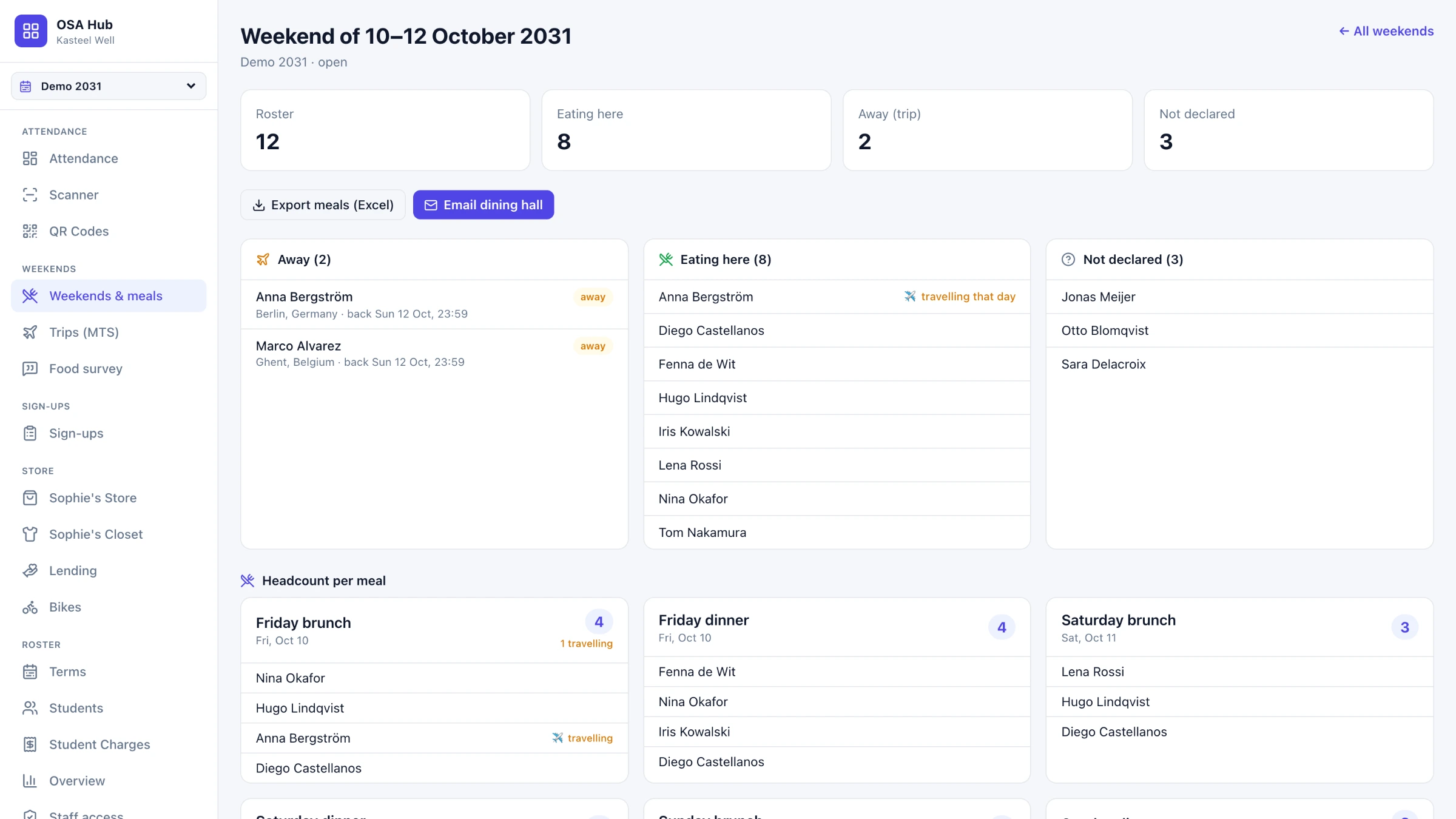
When two processes disagree
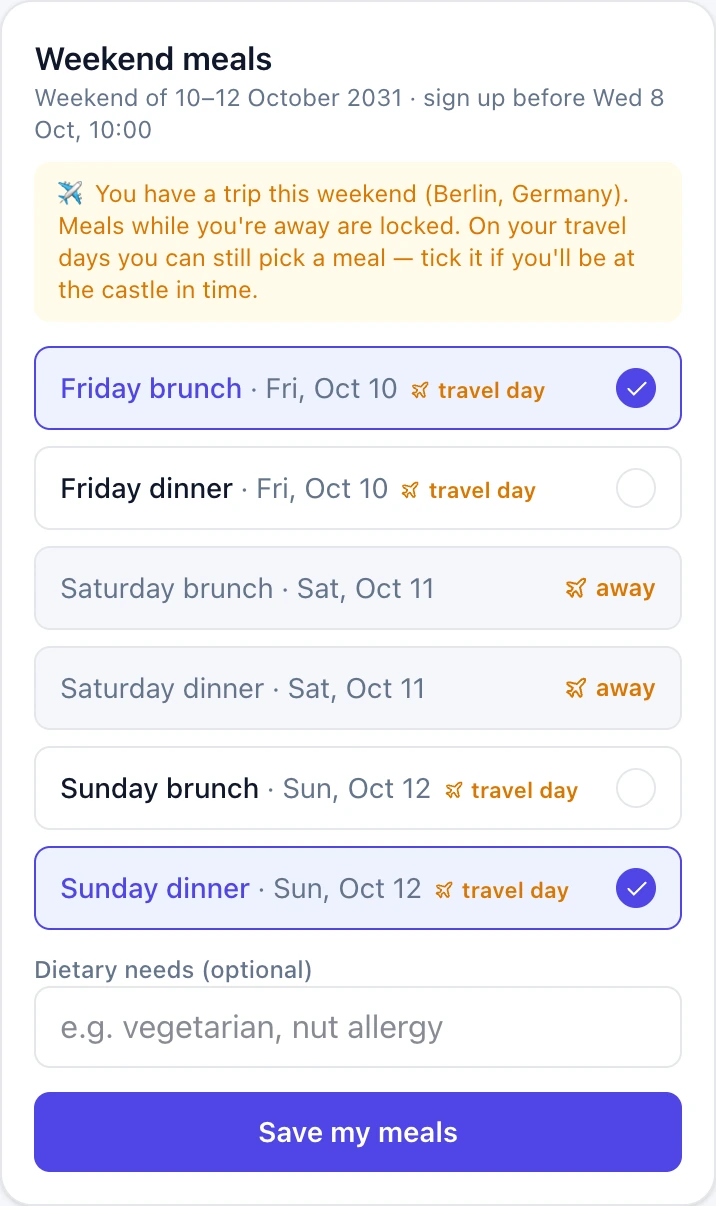
A meal has a date but no time. A trip has dates, and the student form never sent times. So the first version marked every meal between them as away, and deleted sign-ups students had already made. Wrong in both directions. The fix was precision about what is actually known: only days lying fully inside a trip are certain. The edge days go back to the student, who is the one who knows.
- Fly out Friday evening — still at Friday brunch
- Back Sunday afternoon — still at Sunday dinner
- Away all Saturday — certain, and the kitchen can count on it
Chapter 08
What runs while nobody is looking
Three of these processes have deadlines, and deadlines are what turn a record-keeping system into an operational one. The Hub runs a single daily tick, and each job decides for itself whether this is its moment.
Wednesday
Before the deadline
Students who have not declared a weekend plan get a nudge. Not everyone — only the ones it applies to.
After the deadline
Closed, and here is the list
Still-undeclared students are told it has closed, and staff get the list in the same run. The kitchen number and the student's answer come from the same moment.
Daily
Trips that have not closed
Students whose return is due or overdue and who have not checked in get a reminder; staff get an alert once it is genuinely overdue. The system knows someone left and nobody has confirmed they are back.
Constraint
One cron, not two
The plan allows one scheduled job, timed approximately. So every job self-gates on state instead of trusting the clock, and they run in sequence.
Chapter 09
The documents did not go away
Leaving Drive did not mean abolishing documents — a guide standing next to a coach wants a printed roster, not a login. So an excursion still starts as the planning document. Staff upload it; the extraction proposes, and never writes. When the sign-up closes, the Hub writes the document back out in the same layout, with names in the numbered slots that used to be blank.
- In — the planning document staff already had
- Out — the same document, the same tables, names filled in
- And a CSV wherever a list has to leave the building
Chapter 10
The physical things
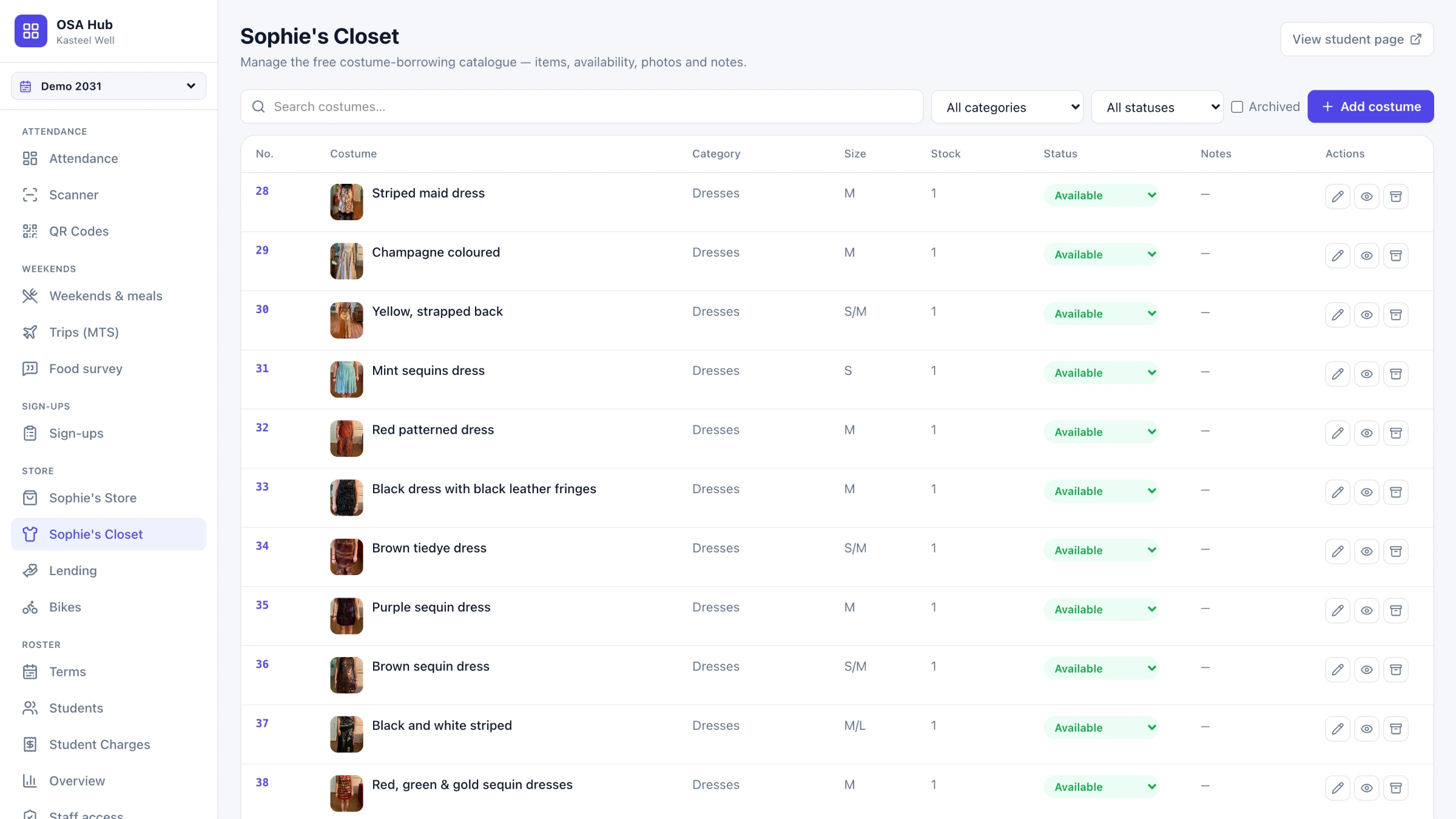
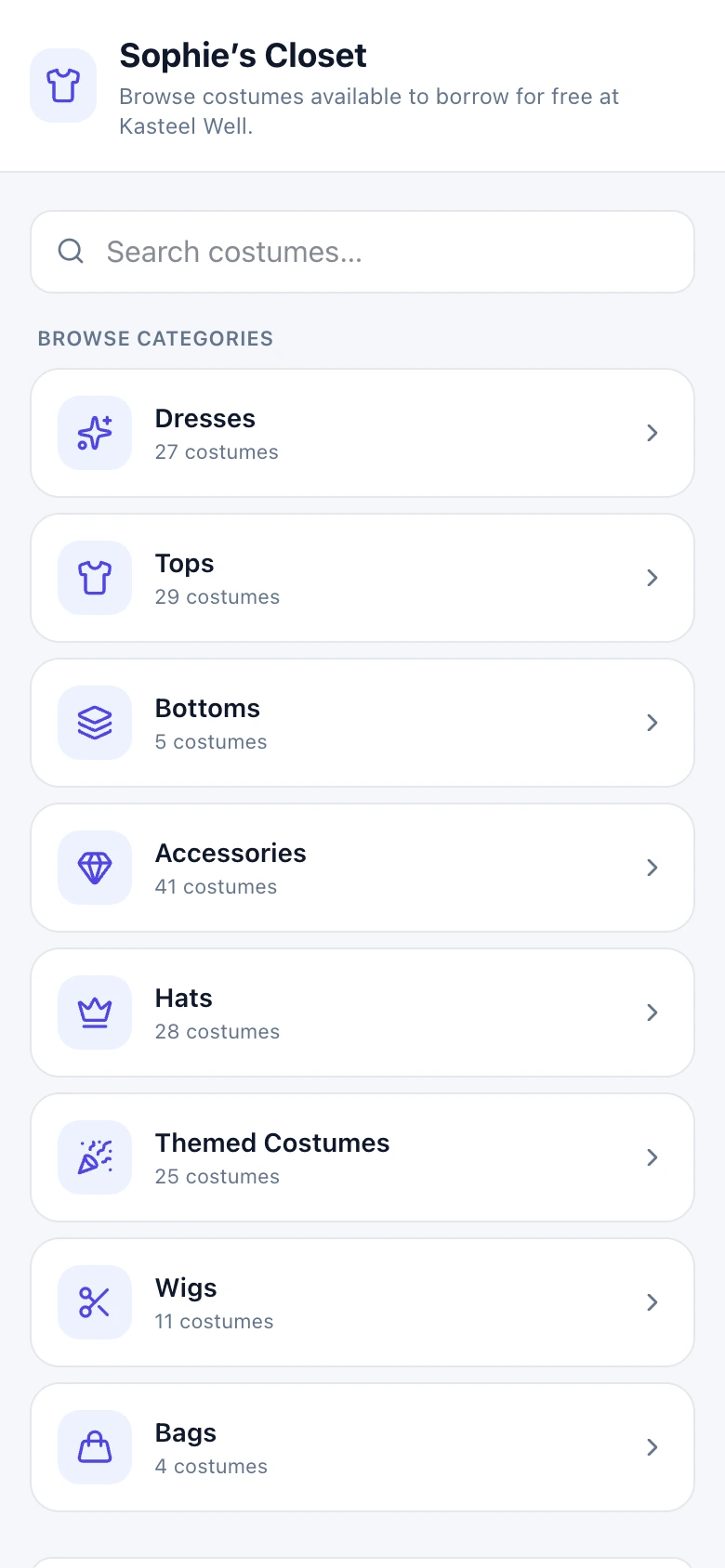
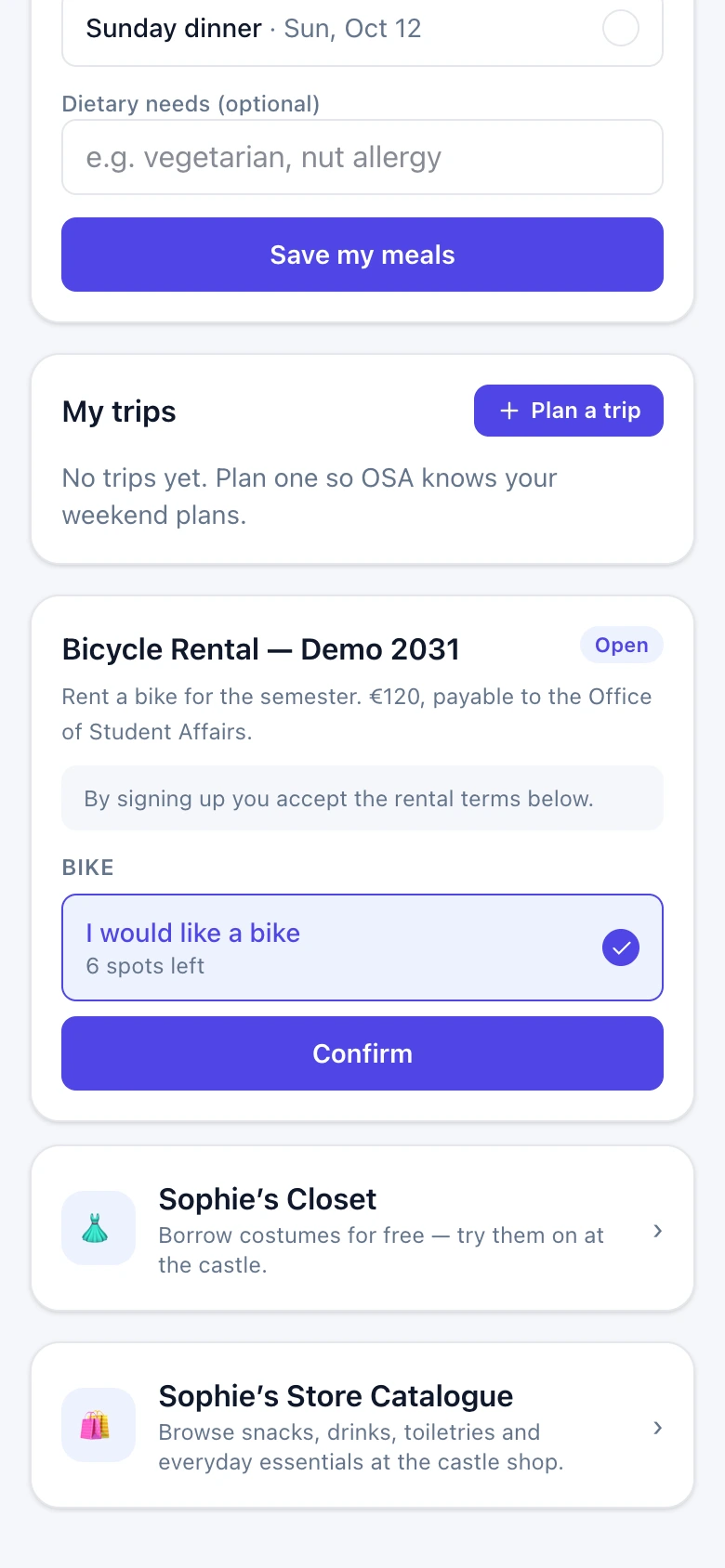
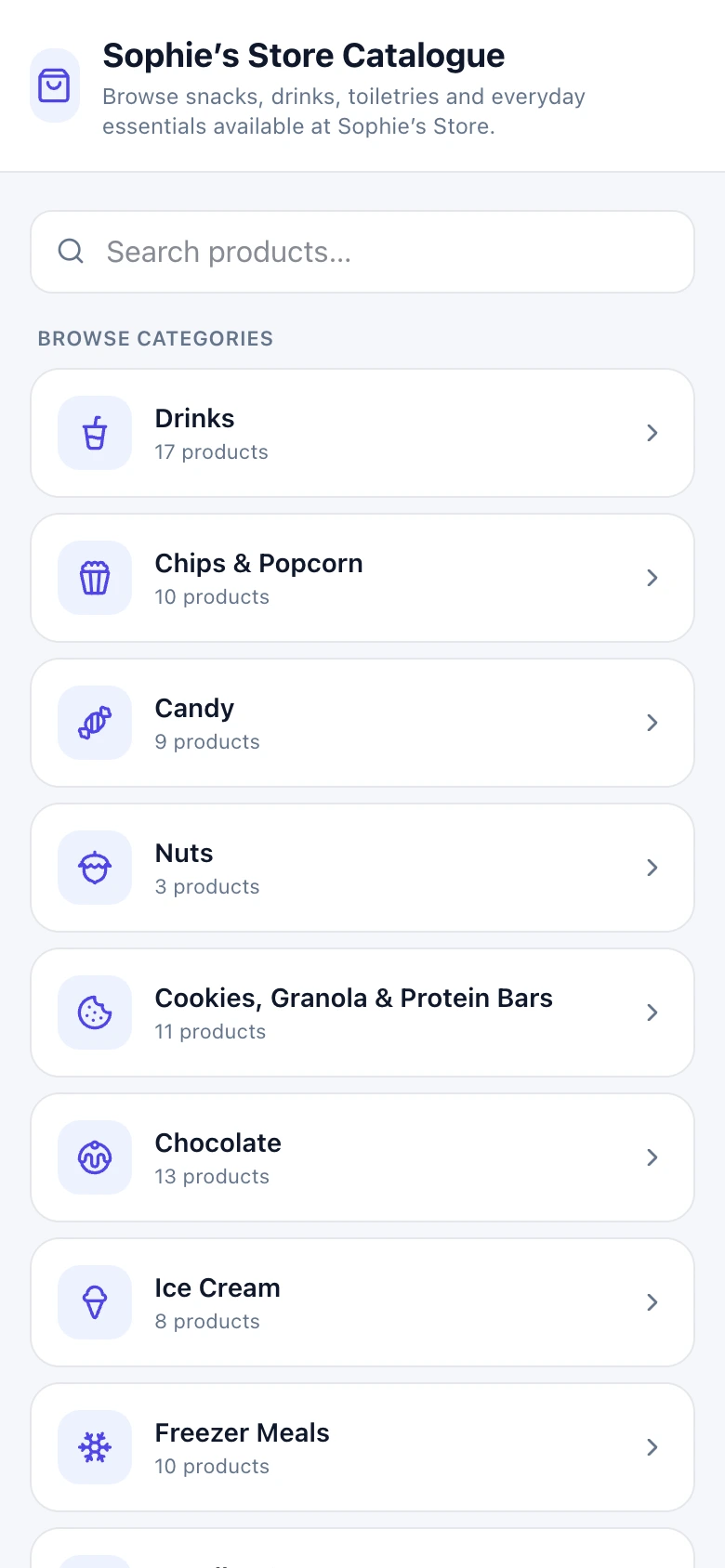
Bikes and the costume Closet are the same problem: an object leaves the building with a person, and someone has to know when it comes back. Both were Google Forms and a spreadsheet before.
Counts
Availability is a number, not a flag
A line can be fifteen glitter cowboy hats. What matters is that three are out and who has them — so availability is quantity minus open loans.
Language
Staff think in article numbers
Never in names. The lending screens lead with the number, because a loan recorded without one forces the exact lookup the screen exists to prevent.
One price
The agreement quotes the term's own number
The agreement is the text OSA always sent, with the amount spliced in from the term's price instead of typed twice. A price that lives in one place cannot disagree with itself.
Consent
A signature belongs to a version
Each rental stores the version of the agreement that was accepted, so rewording it later never silently rewrites what somebody already signed.
Chapter 11
Knowing what not to build
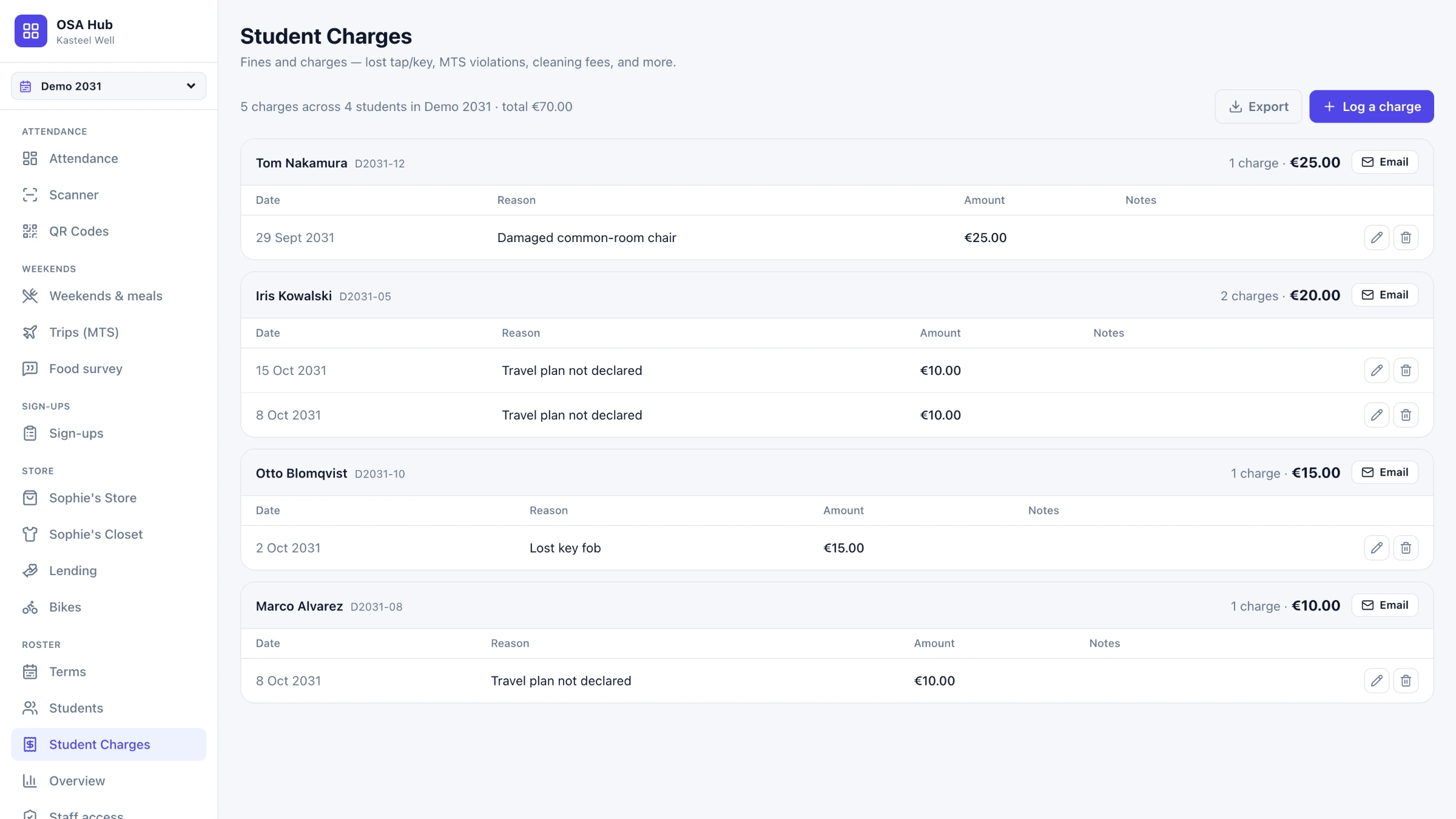
Charges look like the place to build a billing system: amounts, dates, students, a pull toward paid-and-outstanding, reminders. It is deliberately none of that. It is a log, matching what the spreadsheet it replaced did — inventing a workflow nobody asked for is how a tool starts being worked around. Name and ID are copied onto the charge itself, so it stays readable long after that roster is gone.
Chapter 12
The decisions
Four more choices, each one cheap to make early and expensive to retrofit.
Hardware
The card outlives the address
A printed card carries the token only, never a web address — so a term's worth of printing survives a change of domain.
Trust
Import proposes, staff confirm
Nothing is created until someone reviews what the import proposes. The machine reads; the person decides.
Accountability
Every change is written down
Every staff action lands in an audit log with who and when. Shared systems attract "I did not touch it".
Access
Signing in is not being allowed in
A college account proves identity; access is a separate allowlist. Two people must always be able to edit it — otherwise the day the last administrator leaves, nobody can ever be let in again.
Chapter 13
Built to be handed over
The riskiest thing about a system one person builds for their own workplace is not the code — it is that it runs on that person's accounts. The handover names every one of them, says what to transfer and in which order, and lists what is unfinished so nobody finds out the hard way. Its first half needs no technical knowledge at all.
- Who owns what, and the order to move it
- That pushing to main is deploying — there is no release step
- How to run a migration by hand, and why a missed one looks like a bug
- Which recurring tasks belong to which point in the term
- An honest list of gaps, email included
Reflection
What I learned
Learn the place first, then change it
I ran this operation for two years before building most of the system, and that is the reason it fits. You cannot tell from the outside which processes are broken. You find out by working a full term inside them and noticing what you keep redoing.
Scattered work never appears on a budget
Signing up for excursion activities happened in SignUpGenius, outside anything the college ran. The bike agreement was a Google Form in Drive, rebuilt every term and easy to confuse with last term's copy. None of that cost anything on paper. It was paid in searching, and in doing the same thing twice.
Working somewhere is not the same as looking at it
The habit that mattered most was asking why a process was the way it was, instead of getting better at doing it. Almost none of them were that way because someone had decided. They were that way because nobody had had the time to ask.
Be precise about what you actually know
The meals-and-trips bug was not a coding mistake; it was the system claiming a certainty it did not have. Writing down exactly which days were known and handing the rest back to the student fixed it — and "what do we actually know here" turned out to be the most useful question I asked of any feature.
One office is not the only office
The scatter this replaced is not particular to Student Affairs. Academics and Facilities run on the same kinds of documents, in the same Drive. Whether any of this transfers is untested — I would rather it earn that than assume it.